What Is Video Encoding? Your A-Z Guide For Streaming


Ever used those vacuum bags to fit as many clothes as you can into a suitcase before a trip? You stuff everything in, seal it, suck the air out… and suddenly, what once took up half your luggage now fits neatly.
Video encoding works in a surprisingly similar way. But its goal is to make your video streamable.
It takes your large, raw video data and compresses it into a smaller size without destroying its quality.
Just like the vacuum bag doesn't remove your clothes but compresses them, encoding shrinks your video data so it can be stored, streamed, and shared easily.
Now, we'll break down what video encoding really is, how it works, and why it's essential for everything from Netflix streams to the reels you watch every day.
What Is Video Encoding?
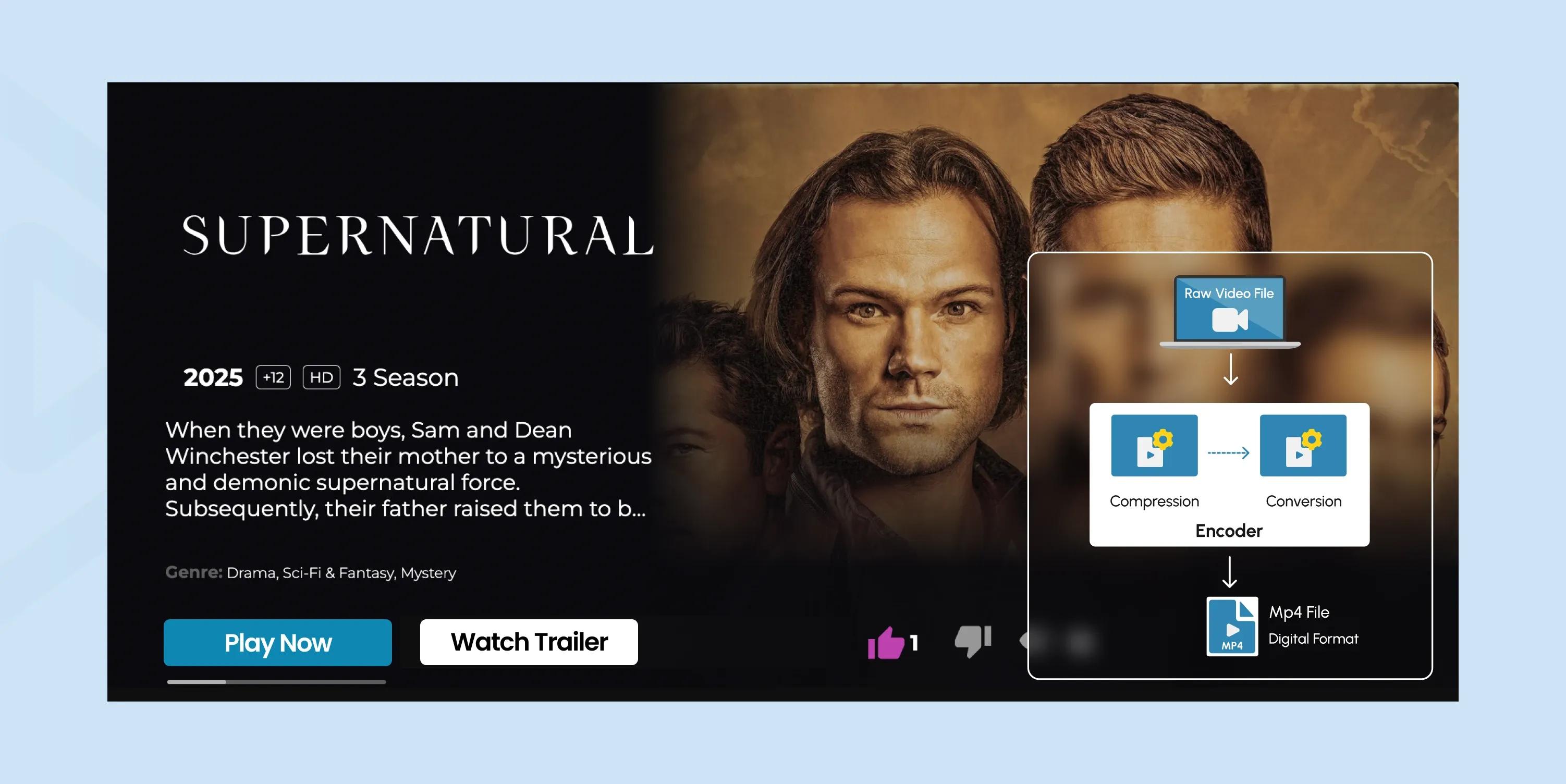
Video encoding is the process of converting raw video data into a compressed digital format, so it can be stored or streamed efficiently.
A raw video file is massive. This footage contains everything-from the colors, details, lighting, and more-that is captured by the camera's sensor.
Example: 1-minute 1080p raw video at 30fps
- Uncompressed: ~10.5 GB (unstreamable and hard to store)
Video encoding solves this problem by compressing the file into a smaller size that is easier to distribute.
- Encoded (H.264 codec): ~30 MB (perfectly streamable, easy to store, and share)
That's a ~200x reduction.
What the encoder here does is to store only the changes between frames and compresses the color and detail that humans barely notice.
There are two key strategies for frame changes:
1. Spatial Compression (inside one frame) - Removes redundancy within a single image.
Example: A brick wall has many repeating patterns → instead of storing every brick pixel, the encoder stores the pattern once and reuses it.
2. Temporal Compression (between frames) - Removes redundancy across multiple frames.
Example: A car moves slightly → The encoder stores only its movement instead of re-saving the whole background every frame.
So video encoding is basically smart compression based on how humans see motion and detail.
How Video Encoding Works
What we already know is…
Video encoding compresses large video files without compromising quality. This can be done by adjusting the file size, changing the quality, or removing unnecessary data.
The steps are as follows:
Step 1: Start with Raw Video
A raw video is a sequence of frames (images), each full of color and detail.
The Problem: a 1-minute 1080p video can be ~10 GB-way too big to store or stream.
Step 2: Look Inside Each Frame (Spatial Compression)
First, the encoder examines each frame individually to find repeating patterns or areas of the same color. It all keeps the must-have frames.
Step 3: Compare Frames (Temporal Compression)
Next, the encoder compares frames over time. It only stores the parts that change between frames.
Frame Types:
- I-frames: full frames, like a JPEG image
- P-frames: store changes from previous frames
- B-frames: store changes using both past and future frames
Example: a person walks across a static background. The background isn't saved over and over; only the moving person is.
As a result, a huge space is saved by avoiding duplicate info across frames.
Step 4: Simplify Color Information
Humans notice brightness more than color details. So the encoder converts RGB to YUV and reduces color data (chroma subsampling).
This shift helps shrink the video file without a noticeable visual difference.
Step 5: Remove Tiny, Unnoticed Details (Quantization)
The encoder discards very fine details humans can't see. Like tiny textures on a wall, but slightly blurred.
It's "lossy" compression that further shrinks file size while keeping it visually close to the original (more on this below).
Step 6: Apply Bitrate and Quality Settings
Encoders use settings like bitrate (amount of data per second) and quality level (1080p, 720p, 480p, etc.) to control file size vs visual fidelity.
- Higher bitrate - better quality, larger file
- Lower bitrate - smaller file, slightly lower quality
Step 7: Pack Everything Efficiently (Entropy Coding)
Finally, once everything that needs to be excluded is removed and the quality is set, the remaining data is packed.
Step 8: End Result
The encoded video is saved in a container (MP4, MKV) using a codec (H.264, H.265, AV1).
Result: A lighter, streamable video that looks almost the same as the original raw video, but much easier to handle.
Where Adaptive Bitrate Streaming (ABR) Comes In
After encoding, your video may exist in multiple quality versions at different resolutions and bitrates.
ABR's job here is to detect your internet speed in real-time and switch between video versions, so playback stays smooth.
Examples
Fast connection (high internet speed) → Higher resolutions (1080p or 4K stream).
Slow connection (lower internet speed) → Lower resolutions ( 360p or 480p stream).
Software vs Hardware Encoding
We covered how encoding works; it's time to explore where it happens.
So, video encoding can happen either on software or hardware encoders.
Software Encoding
Software encoding is when a computer or device uses its CPU to compress video using software programs.
It's highly flexible and can produce very high-quality video. The software can carefully analyze each frame and apply advanced compression techniques.
The only downside is that it can be slow and resource-intensive, especially for high-resolution videos like 4K.
Example
Exporting videos from editing software like Adobe Premiere or HandBrake, or encoding video in a browser or mobile app.
Hardware Encoding
Hardware encoding uses dedicated chips, such as GPUs, ASICs, or built-in CPU encoders, to compress video.
It's much faster and more efficient than software encoding because it's designed specifically for this task.
Hardware encoders are ideal for live streaming or situations where speed is important. However, they can be less flexible and sometimes produce slightly lower quality at the same bitrate.
Examples
NVIDIA NVENC, Intel Quick Sync, and many IP cameras that encode video directly to H.264 or H.265.
Quick Comparison Table
| Feature | Software Encoding | Hardware Encoding |
|---|---|---|
| Speed | Slower | Much faster |
| Quality | Very high, flexible | Slightly lower at the same bitrate |
| Flexibility | Highly configurable | Limited by hardware capabilities |
| Resource Use | High CPU usage | Low CPU usage, efficient |
| Best Use | Editing/exporting offline videos | Live streaming, real-time encoding |
| Examples | Adobe Premiere, HandBrake, browser apps | NVIDIA NVENC, Intel Quick Sync, IP cameras |
Video Encoding vs Decoding
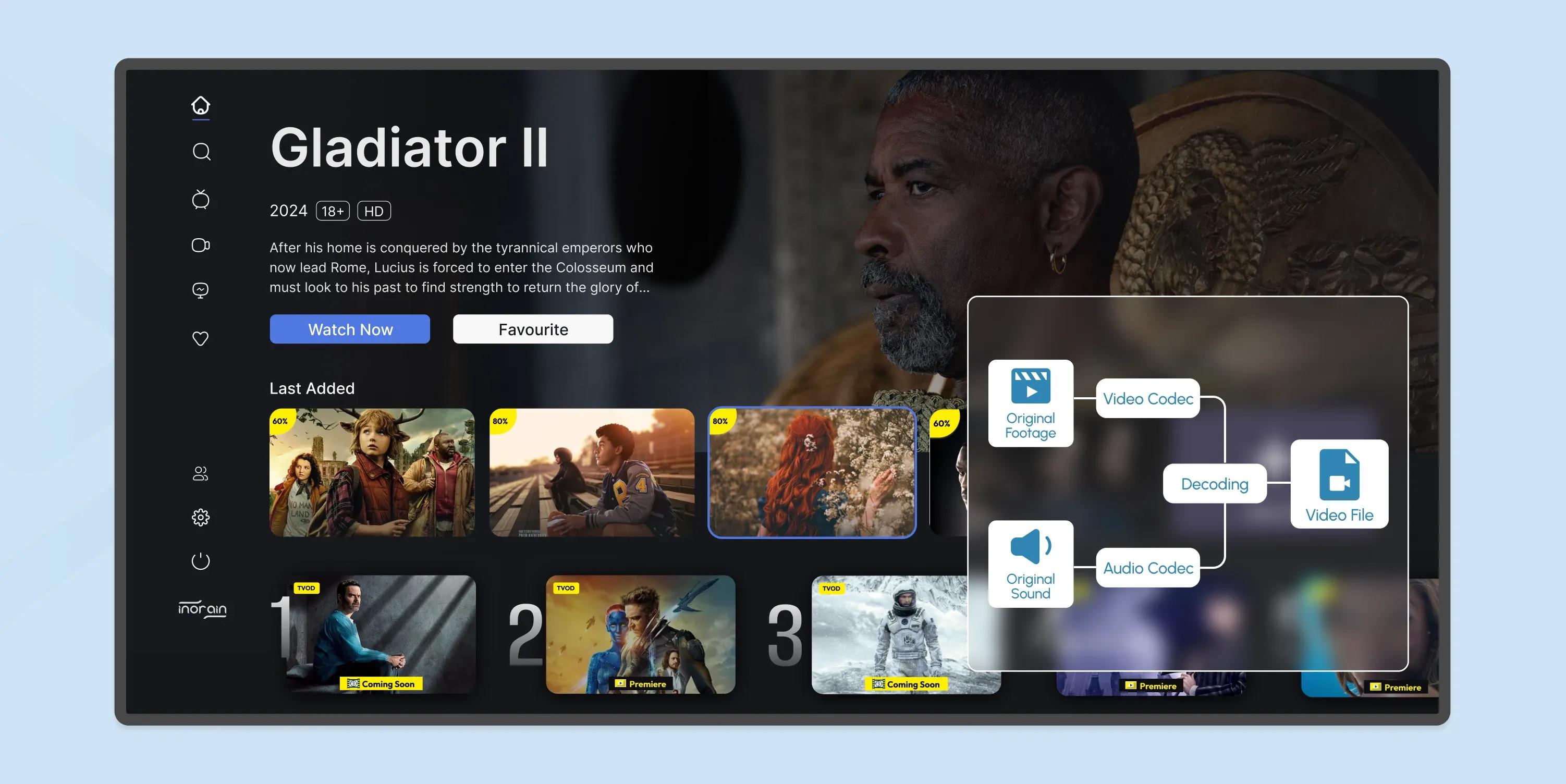
Decoding is the exact opposite of encoding. It unpacks the compressed data. But why, when we put so much effort into encoding it for streamability?
This is necessary to display the video properly after transmission because it prevents interruptions, provides smooth playback, and maintains the quality of the video.
Video Encoding
Any device or software that compresses raw video or audio into a codec format is an encoder.
Examples:
- Your phone, when it records video
- Video editing software exporting a video
- Live streaming hardware encoders
- Media servers encoding for streaming
So, Encoding…
- Takes raw video and compresses it into a digital format.
- Removes redundant information and organizes data efficiently using a codec (H.264, H.265, AV1).
- Happens before storage or streaming.
Example: You record a 1080p video on your phone; it encodes the video to save space.
Video Decoding
Almost any device that plays video or audio is a decoder that reads the encoded video and reconstructs it for playback.
Examples: smartphones, laptops, TVs, streaming sticks, web browsers
- Reverses the encoding so the video can be played.
- The decoder reads the encoded file and reconstructs frames for display.
- Happens during playback.
Example: You watch a YouTube video - your device decodes it in real time for playback.
Comparison
Encoding is technically intensive. It requires more processing power than decoding because it analyzes frames, applies compression algorithms, and optimizes for quality/size.
Decoding is relatively easy and doesn't need a lot of processing power.
Encoding is packing your suitcase efficiently for the trip. And once you arrive at your destination…
Decoding unpacks it so you can use what's inside.
But to stream your video, you need BOTH.
Video Encoding Codecs
Time to discuss the technology that holds together both encoding and decoding.
A codec is a combination of a coder + decoder. It's the technology that compresses (encodes) video or audio into a smaller file and then decompresses (decodes) it for playback.
So, technically nighter encoding nor decoding is possible without codecs. Here is a breakdown of all the major codecs out there.
H.264
The oldest and most popular video encoding format is H.264 or AVC (Advanced Video Coding). It's developed by the International Telecommunication Union (ITU-T) and the ISO/IEC Moving Picture Experts Group (MPEG).
Almost every device supports this codec, so it's the standard for online streaming, Blu-ray discs, and cable broadcasting.
VP9
Developed by Google and released in 2013, VP9 is an open-source, royalty-free alternative to H.264 (AVC). It's widely used for web streaming and is supported by most modern browsers and devices.
According to Google, more than 90% of WebRTC videos encoded in Chrome use VP9 or its predecessor, VP8. That said, although VP9 offers better compression efficiency than AVC, its adoption outside of web-based platforms has been limited.
HEVC (H.265)
H.265, also known as High-Efficiency Video Coding (HEVC), was created for better file compression while maintaining the same video quality. It uses less bandwidth and supports high-resolution streaming.
Despite being designed as a better successor to H.264, H.265 isn't widely used. This is partly due to confusion about its royalties and the fees developers will have to pay to use it.
With H.265, you can deliver 4K, HDR, and even 8K streaming with reduced bandwidth usage.
AV1
Major tech players, including Amazon, Netflix, Cisco, Microsoft, Google, and Mozilla, under the Alliance for Open Media consortium, created the video encoding format AV1 in light of the royalty confusion around HEVC.
It offers better compression efficiency than both H.264 and H.265, making it ideal for high-resolution streaming. This codec is royalty-free and open source, but it's computationally intensive, requiring more processing power, which makes it more expensive to use.
VVC (H.266)
Versatile Video Coding (VVC) or H.266, developed in 2020, was designed to replace H.264 and H.265. It offers better compression than H.265 while maintaining high-quality video.
However, patent licensing concerns have slowed adoption, making this video encoding format less common in the industry.
Video Encoding Compression Techniques
By now, we already know what encoding is, how it works, which technologies make it possible (codecs), and where it happens (software vs hardware).
Video encoding involves multiple compression techniques and encoding tools to optimize video quality.
Here's a breakdown of the compression types:
| Compression Type | Description | Example Usage |
|---|---|---|
| Lossless Compression | Reduces file size while maintaining data integrity, allowing the original file to be fully restored when decoded. | ZIP files, PNG images, FLAC audio |
| Lossy Compression | Removes redundant data to minimize file size while maintaining acceptable quality. | Streaming videos, JPEG images, MP3 audio |
| Temporal Compression | Stores a keyframe and then only the changes between frames (delta frames) to reduce bitrate. | Video streaming, MPEG, H.264 video codecs |
| Spatial Compression | Eliminates duplicate or similar pixel data within a frame by encoding patterns and differences. | Static backgrounds, image compression, news broadcasts |
How Does inoRain Optimize Video Streaming for OTT?
inoRain enhances video encoding for Over-The-Top (OTT) streaming through three main strategies:
- By implementing adaptive bitrate streaming (ABR). This ensures that video quality dynamically adjusts to viewers' internet connections.
- Our flexible transcoding solutions enable content to be streamed in the highest possible quality, supporting resolutions up to 4K.
- By integrating Content Delivery Networks (CDNs), we accelerate content distribution, reducing latency and enhancing the viewer experience.
Want to build a branded OTT platform (your OTT app, branding, rules, visuals, and monetization)?
inoRain is here to provide it all, plus optimize video streaming, enhance content delivery, and maximize monetization opportunities. Just take another step to have it all.
Frequently Asked Questions

Content Manager
Anush Sargsyan is a content manager specializing in B2B content about OTT streaming technologies and digital media innovation. She creates informative, engaging content on video delivery, OTT monetization, and modern media technologies. The goal is to help readers easily understand complex ideas. Her writing is the bridge between technical detail and practical insight, making advanced concepts accessible for both industry professionals and general audiences.
Subscribe to Our OTT Blog
Want to learn more about OTT technology and monetization? Leave your best email here, and we'll keep you updated with our weekly articles.
Loading...