How to Prevent Video Piracy on OTT Platforms


TV is the most pirated content category on the internet. In 2025, piracy sites logged 83.42 billion visits for TV content alone, 45% of all piracy traffic tracked worldwide.
If you run an OTT (Over-The-Top) streaming service, some of that traffic is likely watching content you paid to license. Video piracy on an OTT platform isn't one problem with one fix. Content leaks through several routes, and each needs its own control.
This guide explains how to prevent video piracy on OTT platforms, step by step. We'll map how content actually leaks, walk through nine anti-piracy measures organised in three layers, show which ones to prioritise for your content type, and explain how inoRain builds that protection into the platform.
Why is video piracy a business problem for OTT platforms?
Video piracy costs OTT platforms subscription revenue, and it can also cost them the right to carry premium content at all. Both hit the bottom line.
The revenue side is large. Parks Associates forecasts that piracy losses for streaming services serving US consumers will reach $113 billion by 2027, with piracy rising from 22% to 24.5% of streaming revenue between 2022 and 2027. For premium live events such as sport, Enders Analysis reported in 2025 that piracy accounts for double-digit percentages of overall viewing, depending on the event.
The licensing side is often the bigger issue. According to MESA, content-protection standards from industry bodies such as MovieLabs, Digital Cinema Initiatives and the Streaming Video Alliance call for both DRM (Digital Rights Management) and forensic watermarking. Compliance is generally written into content licence agreements. If you can't meet those requirements, you can't carry HD, 4K or live premium rights.
For ISPs (Internet Service Providers) and TV operators, piracy shows up as churn and lower ARPU (Average Revenue Per User). Every subscriber watching a pirated stream is one who isn't paying for your premium tier.
How does video piracy happen on OTT platforms?
Most video piracy today happens through streaming, not downloads. MUSO found that 97.3% of TV piracy visits in 2025 went to streaming sites. Pirates mostly restream or resell your content in real time rather than share files.
That shifts where you need protection. Here are the six most common leak routes and the control that stops each one:
| Leak route | What happens | Control that stops it |
|---|---|---|
| Stream ripping and link sharing | Playback URLs or stream manifests are copied and replayed outside your app | Multi-DRM encryption and expiring playback URLs |
| Account and password sharing | One paid account is used across many households | Concurrent stream and device limits |
| Screen and HDMI capture | Content is recorded from the screen or the video output | Screen-capture blocking, HDCP and hardware-level DRM |
| Live restreaming | A live match or event is rebroadcast on pirate sites as it happens | Forensic watermarking and fast takedown |
| Offline download extraction | Downloaded files are copied off the device | Encrypted downloads with DRM-enforced expiry |
| Illicit IPTV and out-of-territory viewing | Content is resold by illegal IPTV (Internet Protocol Television) services or watched outside licensed regions | Geo-blocking, watermarking and monitoring |
No single control covers every route. That's why the most effective anti-piracy strategies are layered.
9 anti-piracy measures to prevent video piracy
The measures below fall into three layers: lock the content, control who watches, and trace and respond to leaks. The first layer makes your streams hard to steal. The second limits who can use a legitimate account. The third finds leaks that get through anyway and stops them at the source.
Layer 1: Lock the content
1. Encrypt every stream with multi-DRM
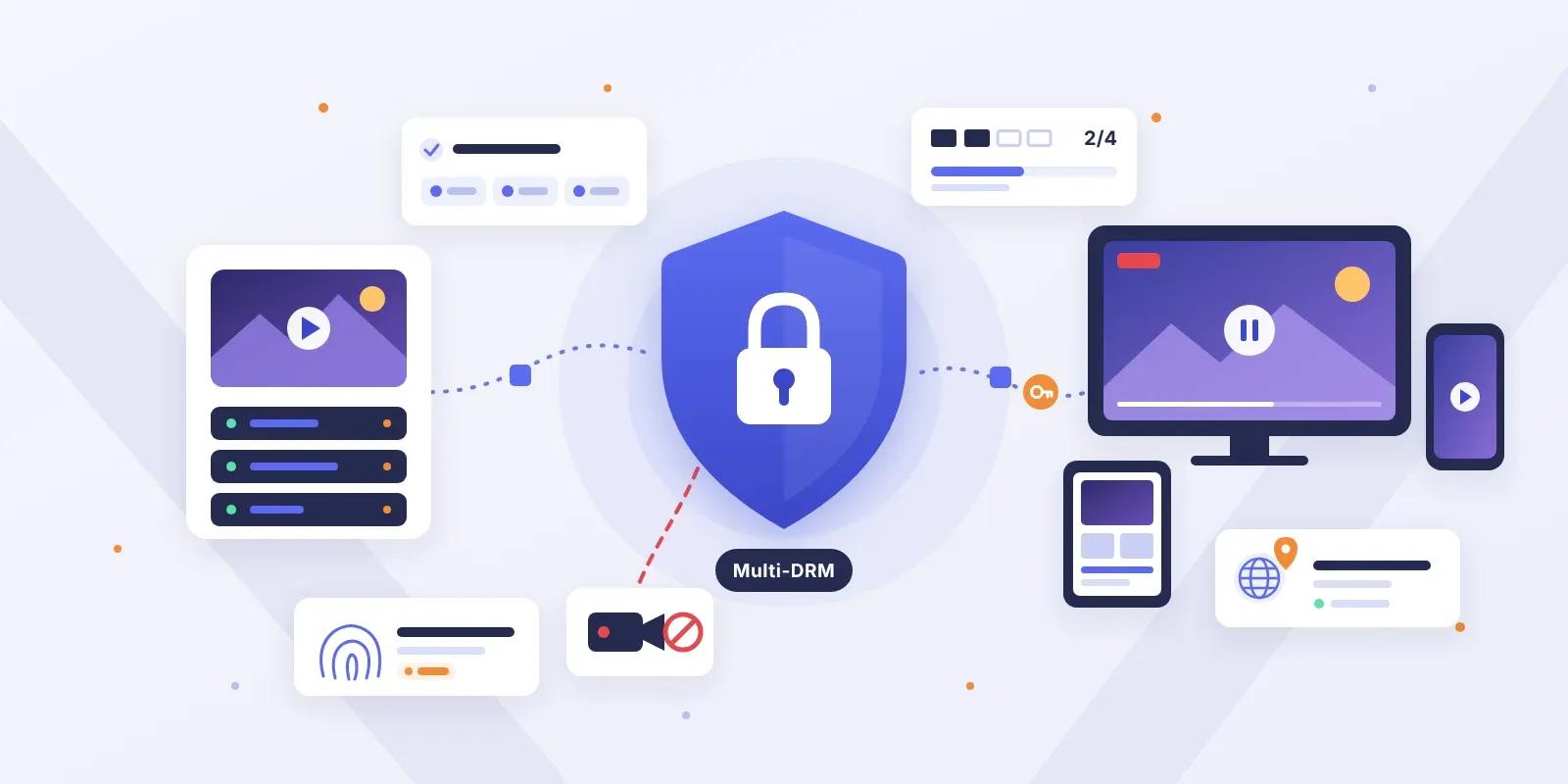
Multi-DRM encryption is the foundation of video content protection. It encrypts your video so it only plays for authorised viewers on authorised devices.
No single DRM system covers every screen, so OTT platforms use three:
- Widevine for Android, Android TV, Chrome, Chromecast and most smart TVs
- PlayReady for Windows, Edge, Xbox, many set-top boxes and Samsung TVs
- FairPlay for iPhone, iPad, Apple TV and Safari
With multi-DRM protection, content is encrypted once at packaging in a format all three systems can read. When a viewer presses play, the device requests a licence. The licence service checks entitlement and issues a key that works only for that device and session. Keys never reach the app itself; decryption happens inside the device's protected module.
If you're new to the concept, our glossary entry on digital rights management (DRM) covers the basics.
2. Use hardware-backed DRM for premium tiers
Hardware-backed DRM keeps decryption inside the device's secure hardware, where it's much harder to attack than software. Studios usually require it before licensing HD and 4K content.
Each DRM system has security levels. Widevine L1 and PlayReady SL3000 are hardware-backed; Widevine L3 and PlayReady SL2000 rely more on software. FairPlay is hardware-backed on Apple silicon. A common approach is to allow software-level DRM for standard-definition streams and require hardware-level DRM for HD and above.
On TV devices, pair this with HDCP (High-bandwidth Digital Content Protection) enforcement. HDCP protects the signal between the player and the screen, which closes the HDMI capture route.
3. Secure the delivery path
DRM protects the content itself, but you should also protect the path it travels. That means playback URLs that are signed, tied to a user session and set to expire after a short window.
A copied link should stop working within minutes and be useless outside your app. Combine this with an entitlement check before any licence is issued, so access depends on an active subscription, not just a valid link. Together, these controls stop the most basic form of piracy: sharing or scraping stream URLs from your CDN (Content Delivery Network).
Layer 2: Control who watches
4. Limit concurrent streams and registered devices
Concurrent stream limits cap how many devices can play from one account at the same time. Device limits control how many devices can be registered to an account and how often that list can change.
Password sharing is widespread. Deloitte's Digital Media Trends research found that 25% of US consumers had used someone else's streaming password or watched pirated content in the previous 12 months. Password borrowing was the more common of the two, at 15% versus 7%.
Set limits by plan rather than one rule for everyone. A family plan can allow four streams; a single-viewer plan can allow one. That keeps honest households happy while making large-scale sharing impractical.
5. Enforce geo-blocking by territory
Geo-blocking restricts playback to the countries or regions where you hold the rights. It's a licensing requirement as much as an anti-piracy measure: most content deals are territorial, and streaming outside those territories puts the deal at risk.
Many platforms combine geo-blocking with VPN and proxy detection, since viewers use those to appear inside a licensed region. Apply geo-rules per title or per package, because your rights often differ from one piece of content to the next.
6. Block screen capture and lock down offline downloads
Screen-capture blocking stops recording and screen-sharing tools from capturing your video on supported devices. On mobile and desktop, this closes one of the easiest leak routes.
Offline downloads need the same care. Downloaded files should stay encrypted on the device, expire on a schedule enforced by DRM and play only inside your own app. That way, a viewer can watch on a flight without the file becoming a copy that can be shared.
Layer 3: Trace and respond
7. Add session-based forensic watermarking
Forensic watermarking embeds an invisible, unique mark into each viewing session. If a copy appears on a pirate site, the mark identifies the account it came from.
This is the key difference from DRM: DRM is built to prevent theft, while forensic watermarking identifies who leaked the content. You need both. Even strong DRM can be bypassed by pointing a camera at a screen, and a watermark survives that kind of copy.
The viewer never sees the watermark. It doesn't change picture quality or playback, but it gives you evidence to act on, whether that's suspending an account or supporting a legal case.
8. Monitor for leaks and act within minutes
Monitoring means actively searching pirate sites, social platforms and illegal IPTV services for your content, then acting on what you find. Speed matters most for live events, where a match is only valuable for 90 minutes.
Takedown notices alone aren't enough. A Grant Thornton report with the Live Content Coalition found that between January 2024 and June 2025, only 11% of takedown notices for live events led to an illegal stream being suspended. On platforms where streams were taken down, 90% reappeared within 24 hours.
That's why watermarking and monitoring work best together. Once you know which account a pirate stream comes from, you can shut it off at the source mid-event, rather than chasing copies. Live sports deserve special attention here: MUSO reports that live sport's share of TV piracy rose from 10.28% in 2024 to 11.63% in 2025, faster than any other TV category. If you're planning live events on a live streaming platform, build this response plan in from the start.
9. Make your legal service easier to use than piracy
The last measure isn't technical. Viewers who can easily find, afford and watch your content are less likely to look for a pirate copy.
Deloitte found that password borrowers and pirated-content watchers are just as likely as other consumers to subscribe to an ad-supported tier. Offering a lower-priced or ad-supported plan, pay-per-view for single events and apps on every major device removes many of the reasons people turn to piracy in the first place.
Which anti-piracy measures should you prioritise?
The right priorities depend on what you stream. A live sports service needs every layer from day one; a catalogue of your own original content can start with a strong first layer and build from there.
| Content type | Must-have | Add next |
|---|---|---|
| VOD (Video on Demand) catalogue of your own content | Multi-DRM, concurrent stream limits | Geo-blocking, download protection |
| Licensed studio content in HD or 4K | Hardware-backed DRM, geo-blocking, forensic watermarking | Screen-capture blocking, HDCP |
| Live sports and events | Multi-DRM, forensic watermarking, real-time monitoring | Concurrent stream limits, geo-blocking |
| ISP or operator OTT bundle | Multi-DRM, device limits | Watermarking for premium add-on tiers |
If you're an operator bundling OTT with broadband, start with DRM and device limits across the whole service, then add watermarking to premium tiers as you license more valuable content. Our page on OTT for ISPs and MSOs (Multiple System Operators) covers how that bundle fits together.
How do you protect video content without hurting the viewer experience?
Put security where the viewer can't see it: in licences, devices and watermarks, not in extra login steps. Done well, content protection is invisible to paying subscribers.
Most of the measures above already work this way. DRM licence requests take milliseconds. Forensic watermarks don't change what viewers see. Geo-blocking only affects people outside licensed regions.
Where friction can appear is in access controls. Set stream and device limits by plan, give viewers a simple way to manage their registered devices, and show a clear message when a limit is reached instead of a generic error. The goal of OTT security is to stop pirates, not to make paying customers feel like suspects.
How does inoRain help you prevent video piracy?
inoRain builds content protection into the OTT platform itself, so you don't have to buy DRM from one vendor and integrate it with your apps and packaging yourself. The encryption, apps and subscriber controls are already on one platform.
As an OTT platform provider, inoRain includes:
- Multi-DRM with Widevine (including hardware-backed L1), PlayReady and FairPlay, covering mobile, web, smart TVs and set-top boxes
- Session-based forensic watermarking that traces a leak back to the account it came from
- Concurrent stream and device limits to curb account sharing
- Geo-blocking to protect territorial licensing agreements
- Screen-capture blocking on supported devices
- Encrypted offline downloads with DRM-enforced expiry that play only in your own app
inoRain integrates and operates a certified third-party DRM licence service on your behalf, so you get studio-grade protection without running licence infrastructure yourself.
See how Multi-DRM protection works on inoRain →
Conclusion
Preventing video piracy on an OTT platform isn't about one tool. It's about layers: encryption as the foundation, access controls to limit misuse, and watermarking and monitoring to catch what gets through.
The pressure is moving towards live content, where piracy is growing fastest and leaks have to be stopped in minutes, not days. Platforms that build protection in from the start are the ones studios and sports-rights holders will trust with their best content.
If you're planning a new OTT service or bringing premium content onto your platform, we'd be glad to walk through your content-protection requirements with you. Talk to our team →
Frequently Asked Questions

Digital Marketing Specialist
Creates digital campaigns that drive growth. Handles social media, SEO, and content marketing. and turns data into clear insights and results. Sona also helps create valuable evergreen content to deliver high-quality information to inoRain's audience.
Subscribe to Our OTT Blog
Want to learn more about OTT technology and monetization? Leave your best email here, and we'll keep you updated with our weekly articles.
Loading...