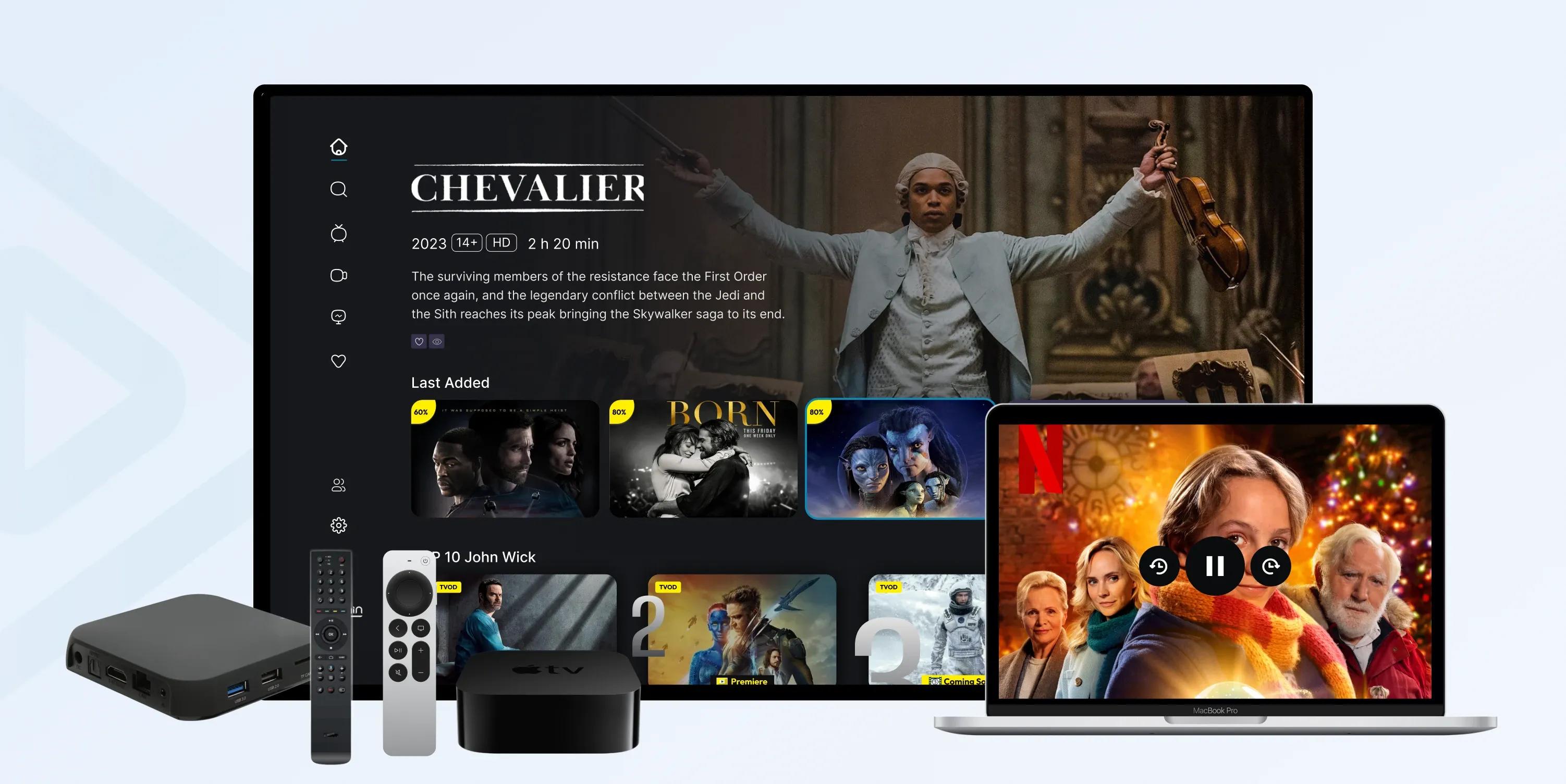
What is an OTT Box, and How Does It Work? Features to Consider


Streaming now accounts for 47.5% of all U.S. television viewing - more than cable and broadcast combined - according to Nielsen's December 2025 Gauge report. The device making that shift possible for millions of older TVs is the OTT box.
An OTT box is a compact device that plugs into your TV through an HDMI cable and turns it into a full streaming hub, with every major app in one place. Amazon's Fire TV Stick and Roku are two of the most recognizable examples. But do you actually need one, which type fits your setup, and - if you run a hotel or TV service - how do you deploy them at scale? Here's everything you need to know about OTT boxes before you choose one.
What Is an OTT Box?
An OTT box is a compact device that lets you stream content - movies, TV shows, game shows, and live events - directly to your TV over the internet, instead of through cable or satellite.
The "OTT" in OTT box stands for Over-The-Top, meaning content delivered "over the top" of traditional broadcast infrastructure. That's the whole OTT box meaning in one line: an internet-first streaming device for your television.
These boxes connect to your TV's HDMI port. Once you're online, you get access to popular streaming services like Netflix, Hulu, Amazon Prime, Disney+, and YouTube. The category sits inside a fast-growing market: the global video streaming industry was valued at USD 129.26 billion in 2024 and is projected to reach USD 416.8 billion by 2030 (Grand View Research, 2025).
Read More About: OTT Devices
How Does an OTT Box Work?
An OTT box pulls video from the internet, decodes it, and sends it to your TV over HDMI - no cable line or satellite dish involved. The signal path is simple: your home internet connection feeds the box, the box runs the streaming app and decodes the video stream, and the HDMI cable delivers picture and sound to the screen.
Every brand operates on the same principle. The box uses your internet connection to stream digital media from your chosen service, transforming a standard TV into a smart entertainment hub. Because the processing happens on the box rather than the TV, even a years-old television gets a modern, app-driven interface. As simple as it is.
Types of OTT Boxes
To choose the right OTT box, start by understanding the main categories. Each one offers a different mix of features, performance, and price.
1. Streaming Sticks: Compact, plug directly into the TV’s HDMI port, and are powered by USB or an adapter.
Examples: Amazon Fire TV Stick, Roku Streaming Stick, Google Chromecast.
Best for: Casual users who want a portable, affordable streaming option.
2. Dedicated Streaming Boxes: Standalone devices with more processing power, storage, and features than sticks.
Examples: Apple TV 4K, Roku Ultra, Xiaomi Mi Box.
Best for: Users who want smoother performance, 4K HDR support, and better connectivity.
3. Android TV Boxes: Run on Google’s Android TV OS, offering access to the Play Store and broad app compatibility.
Examples: NVIDIA Shield TV, Mecool Android Boxes.
Best for: Power users who want flexibility, sideloading apps, and gaming options.
4. Operator and ISP OTT Boxes: Provided by telecom or internet service providers as part of bundled packages.
Examples: Airtel Xstream Box, Comcast Flex.
Best for: Subscribers who want integrated billing, support, and live TV channels alongside OTT services.
5. Hybrid OTT + DTH/IPTV Boxes: Combine OTT streaming with satellite (DTH) or IPTV services in a single device.
Examples: Tata Play Binge+, Dish TV Smart Hub.
Best for: Viewers who want both traditional TV and streaming apps on one platform.
6. Gaming-Capable OTT Boxes: Designed not just for streaming but also for high-quality gaming, often with cloud gaming support.
Examples: NVIDIA Shield TV, Apple TV with Apple Arcade.
Best for: Gamers who also want full streaming features in one box.
How to Set Up an OTT Box?
You can set up an OTT box yourself in four steps - no technician required. While brands differ in features, they all follow the same basic process.
Here is how:
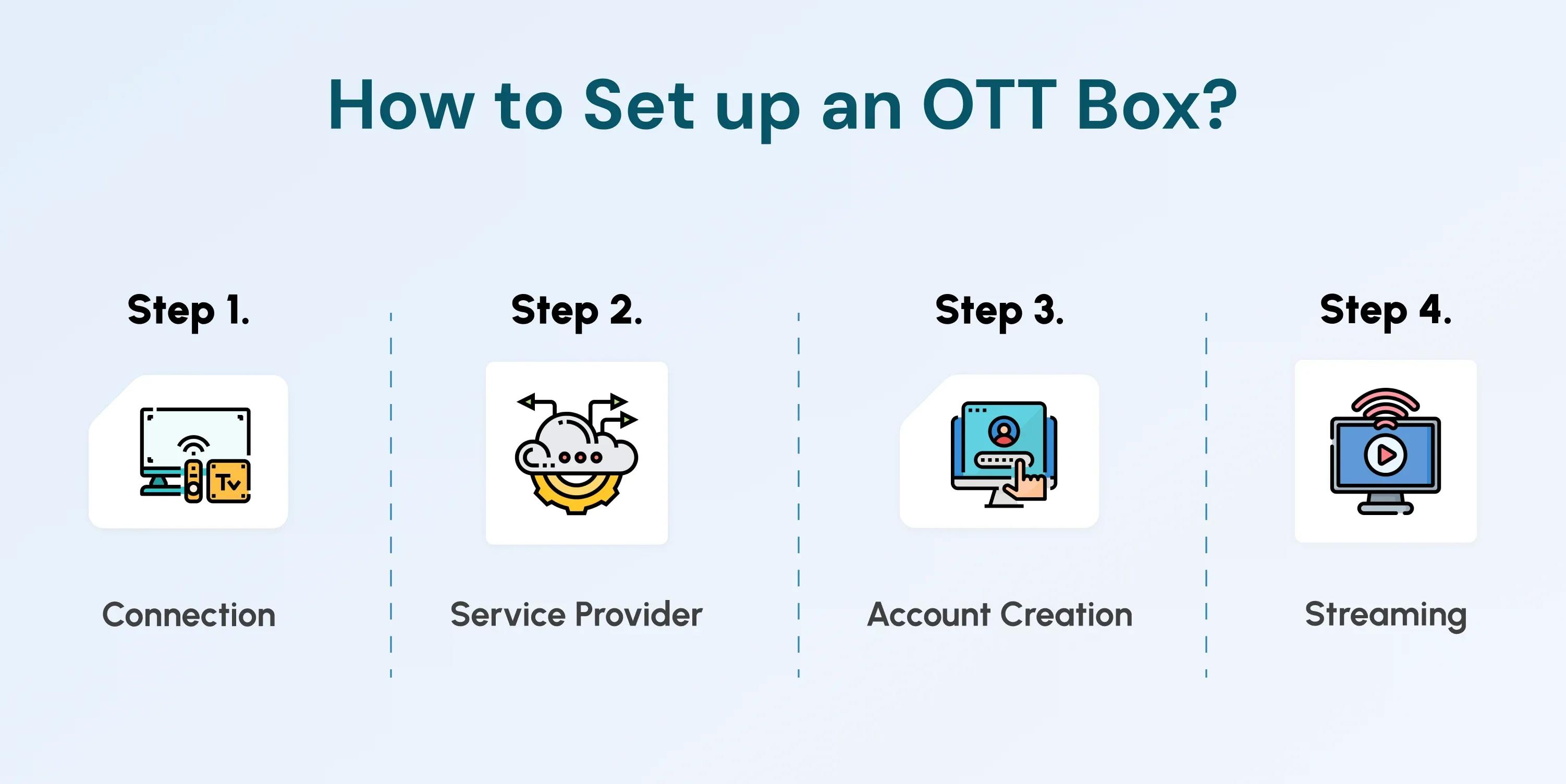
Step 1. Connection - Connect the box to your TV's HDMI port, then to the internet using Wi-Fi or, for a more stable feed, an Ethernet cable. A reliable connection means uninterrupted, high-definition streaming.
Step 2. Service Provider - Most boxes come preloaded with popular apps like Netflix, Disney+, Hulu, and YouTube. If a specific app is missing, download it from the device's app store in seconds.
Step 3. Account Creation - Some boxes ask you to create an account for updates or extra services. If prompted, follow the on-screen instructions.
Step 4. Streaming - Sign in to the app of your choice and start watching. That's all it takes to stream your favorite shows, films, and live events with a few clicks of the remote.
How to Choose the Right OTT Box
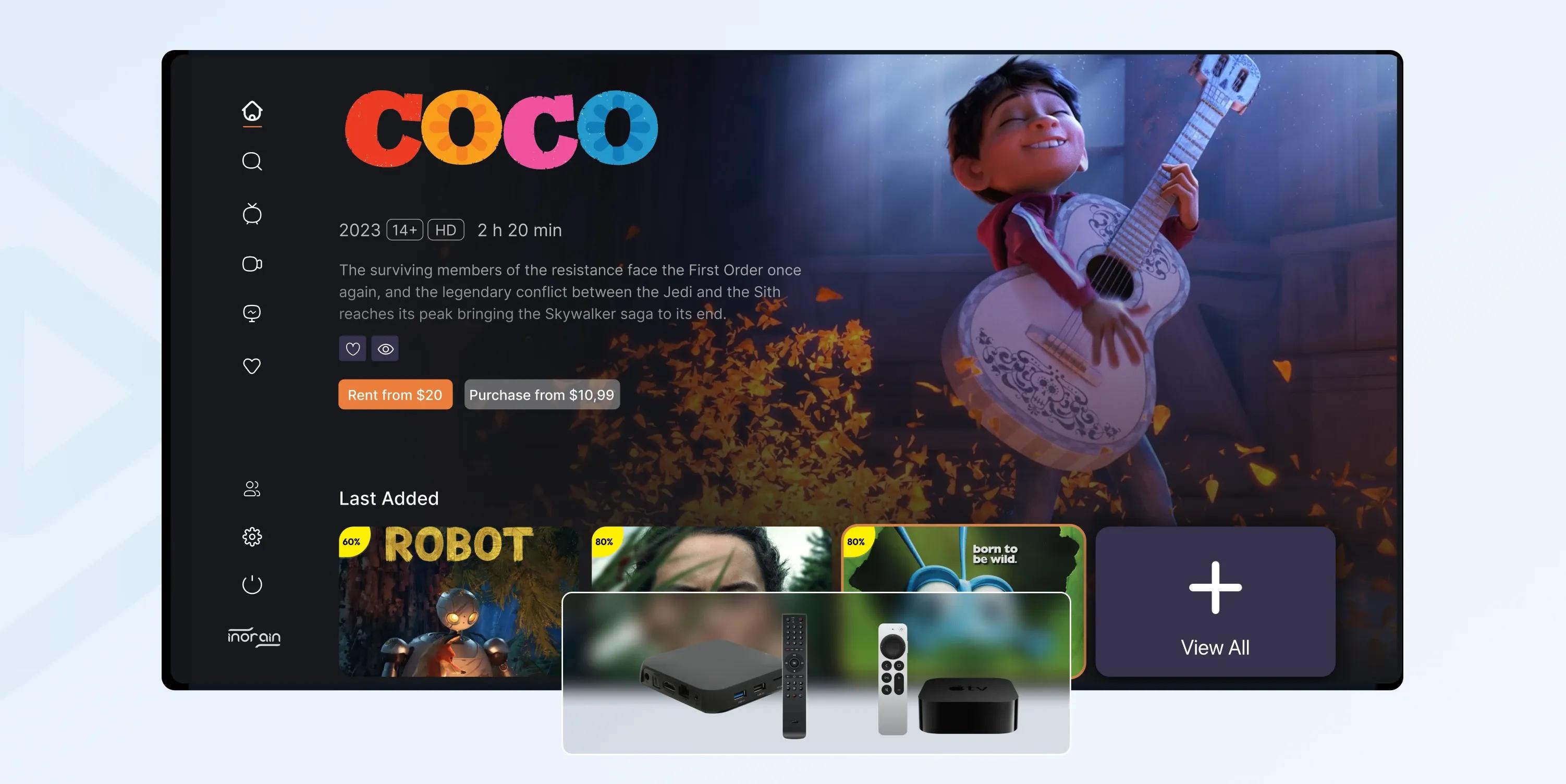 Choosing the right OTT box comes down to matching its capabilities to your TV and viewing habits. Available services vary by location and device, so compare your options against these five features before buying.
Operating System
The OS shapes your entire viewing experience. OTT boxes run on different systems, like Android TV or RokuOS. Pick one with an interface you find easy to navigate and that supports the apps you use most.
Content
Not every OTT box supports every streaming service, often due to regional restrictions. Confirm that your preferred platforms - Netflix, Hulu, Disney+ - are available, and check whether you can add apps later.
Resolution
Match the box to your TV's resolution. If you have a 4K TV, choose a box that supports 4K streaming. For a lower-resolution screen, a cheaper box that matches your TV's capability will do.
Voice Control
Many newer boxes include voice control, which makes navigating menus easier and integrates well with smart-home systems if you want a hands-free setup.
Storage
If you plan to install many apps or games, storage matters. Some boxes offer generous built-in storage; others rely on external options. Decide whether you need the extra space or prefer a leaner setup.
5 OTT Boxes to Choose from
Here are five of the most popular OTT boxes to help you narrow the field.
1. Roku Ultra
Pros:
- Supports 4K HDR and Dolby Vision for excellent picture quality
- Huge app library, including almost every major streaming service
- Easy-to-use interface, simple for all ages
- Voice remote with headphone jack for private listening
Cons:
- Fewer advanced features compared to competitors (e.g., gaming, smart home integration)
- Some premium apps may have extra costs
Best for: Users looking for a straightforward, reliable, and affordable streaming device with access to all major apps.
2. Amazon Fire TV Stick 4K
Pros:
- Affordable 4K HDR streaming with Dolby Vision support
- Alexa integration for voice commands and smart home control
- Wide range of streaming apps available
- Compact and portable design
Cons:
- Interface heavily pushes Amazon Prime content
- Limited storage for apps and games
- Ads on the home screen can be intrusive
Best for: Users already in the Amazon ecosystem who want a budget-friendly 4K streamer.
3. Apple TV 4K
Pros:
- Premium build quality and fast performance
- Seamless integration with iPhone, iPad, and the Apple ecosystem
- Supports Dolby Vision and Dolby Atmos for top-tier audio and video
- Great for Apple Arcade and HomeKit smart home control
Cons:
- High price compared to other devices
- The Best experience is limited to those already using Apple services
- Remote can feel too minimal for some users
Best for: Users who are deeply invested in the Apple ecosystem and want the best integration, performance, and picture quality.
4. Google Chromecast with Google TV
Pros:
- Affordable and compact
- Supports 4K HDR with Dolby Vision
- Casting from phone/tablet is seamless
- Google Assistant integration for voice search and smart home control
- Personalized content recommendations
Cons:
- Limited storage for apps
- Some users find Google TV’s recommendations cluttered
- Performance can lag under heavy use
Best for: Google users who want casting flexibility and a personalized, affordable streaming experience.
5. NVIDIA Shield TV
Pros:
- Best-in-class performance with 4K HDR and AI upscaling
- Excellent for both streaming and gaming (supports GeForce NOW, Steam Link, Android games)
- Frequent software updates and strong long-term support
- Google Assistant voice control and smart home hub functionality
Cons:
- More expensive than most other streaming devices
- Overkill if you just want basic streaming
- Gaming features need a strong internet connection for cloud play
Best for: Power users and gamers seeking the most versatile and robust streaming device.
OTT Box vs. Smart TV
An OTT box adds streaming apps to any TV via HDMI, while a smart TV has those apps built in - the difference comes down to flexibility and cost. Despite smart TVs being common (79% of U.S. households owned one in 2025, up from 66% in 2020, per AdWave), OTT boxes remain popular for good reason.
Not everyone owns a smart TV, and replacing a working television is expensive. An OTT box turns any HDMI-equipped TV into a streaming device - giving it access to Netflix, YouTube, and Disney+, plus voice search, app downloads, and even gaming on some models. If your TV lacks smart features, a box upgrades it instantly without the cost of a new set.
Here's a side-by-side comparison from a streaming perspective.
| Feature | OTT Boxes | Smart TVs |
|---|---|---|
| Definition | An external device that connects to a TV to enable internet streaming | TV with built-in internet and streaming apps |
| Flexibility | Works with any TV that has an HDMI port | Limited to the TV’s built-in operating system |
| App Availability | Wide range, depending on OS (Android TV, Roku, Fire OS, etc.) | Often, fewer apps, restricted to the manufacturer’s ecosystem |
| Performance | Usually faster with regular updates and better optimization | Performance may slow over time, and updates are often limited |
| Upgradeability | Easy to replace or upgrade to a newer model | Requires buying a new TV to upgrade |
| Cost | Affordable (adds features to existing TV) | More expensive upfront |
| User Accounts | Guests can log in/out of their own apps easily | More limited and less user-friendly for shared use |
| Best For | Turning any TV into a customizable smart streaming hub | Simply a convenient all-in-one solution for buying a new TV |
Are OTT Boxes Legal? Is a Firestick or Roku an OTT Box?
Yes, OTT boxes from official brands are completely legal, and yes - both the Amazon Fire TV Stick and Roku are OTT boxes. The legality question usually comes up because some devices are loaded with unofficial apps that stream pirated content, which does violate copyright law. The device itself is legal; how it's used is what matters.
To clear up two common questions: a Fire TV Stick is an OTT box (a streaming stick, specifically), and Roku - whether a stick or a box - is also an OTT box. Both stream content over the internet, which is the defining trait. By contrast, a traditional set-top box connects to cable or satellite, while an OTT box streams directly from the internet.
OTT Boxes for Hotels and Operators
Hotels and TV operators use OTT boxes to deliver branded, personalized streaming to every screen without replacing existing televisions - and that's exactly where inoRain comes in. Instead of generic consumer devices, a managed deployment puts your brand, your content, and your monetization model on every TV.
For hotels, OTT boxes transform the guest experience. With inoRain's software, guests get instant access to movies, shows, and live events, and can log into their own streaming accounts to watch personalized content - the same convenience they have at home. Boxes in common areas can stream live broadcasts or events to keep guests entertained while they wait or dine. We handle the branding, personalization, and monetization so the whole experience feels like an extension of your property, not a borrowed device.
For TV providers and operators, OTT boxes are a route to migrate subscribers from legacy delivery to a modern, app-based service under your own brand - with full control of the interface, content lineup, and revenue. With over 80 million U.S. households now living without traditional cable (AdWave, 2025), giving viewers a branded streaming box is a practical way to retain and grow your base.
If you want an OTT box solution that plugs in and delivers a personalized, branded experience, inoRain offers exactly that.
Ready to Pick the Right OTT Box? Focus on These Main Points
If, after comparing all your options, you’re still stuck wondering which OTT box is the best for you, use this one last trick: focus on three main points.
1. Performance – Fast, smooth, and reliable streaming.
2. App Support – Access to all the platforms you need.
3. Quality – 4K and HDR for the best viewing experience.
At inoRain, we deliver OTT box solutions built with these priorities at the core. Our devices combine powerful performance, broad app compatibility, and outstanding quality to transform any TV into a personalized entertainment hub.
Take the first step towards innovative streaming — Contact us today to get OTT solutions for all your streaming needs.
Frequently Asked Questions

Digital Marketing Specialist
Creates digital campaigns that drive growth. Handles social media, SEO, and content marketing. and turns data into clear insights and results. Sona also helps create valuable evergreen content to deliver high-quality information to inoRain's audience.
Subscribe to Our OTT Blog
Want to learn more about OTT technology and monetization? Leave your best email here, and we'll keep you updated with our weekly articles.
Loading...