- arabic localization
- product grouping
Arabic right-to-left support and product grouping with trend comparisons
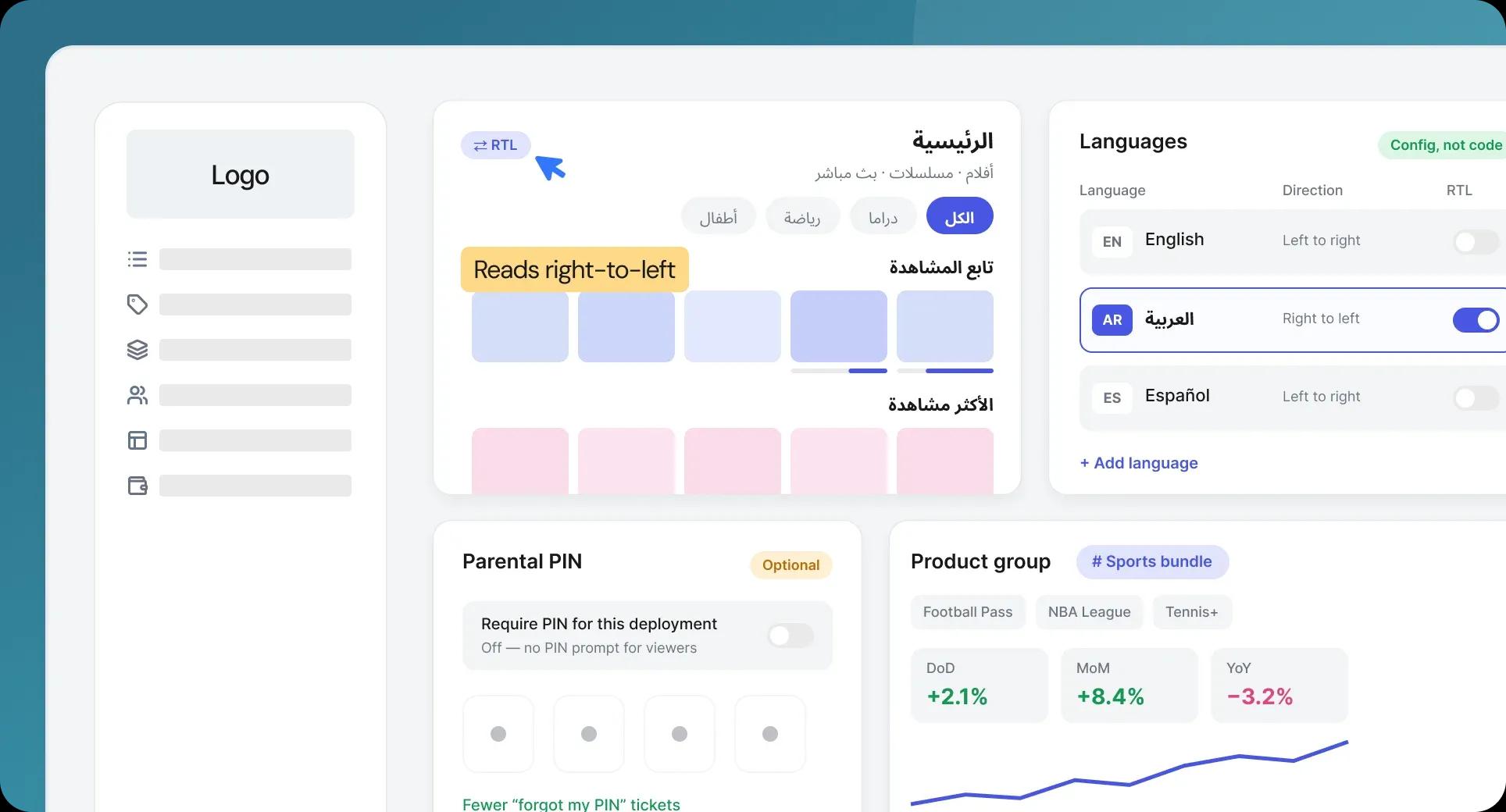
Three changes: the interface now renders properly in Arabic, related products can be grouped and reported on as a unit, and the parental PIN is no longer forced on deployments that don't want it.
Full right-to-left support for Arabic
When a viewer selects Arabic, the entire interface now renders right-to-left - layout, navigation and text direction, not just translated strings in a left-to-right frame. The behavior follows the RTL flag in the language configuration, so adding another right-to-left language later is a configuration change rather than a rebuild. Arabic-speaking markets get an app that reads the way they do.
Product tags and grouping
You can now group related products under a custom tag and report on that group as a single unit in the Analytics Dashboard, instead of reading each product line separately and adding them up yourself. Day-over-day, month-over-month and year-over-year comparisons sit alongside it, so you can see which groups are growing and which are slipping rather than only where each stands today.
Parental PIN is now optional
The parental PIN can now be turned off per deployment. In practice, most support contacts about the PIN came from people who had forgotten theirs rather than from parents relying on it, so deployments that don't need it can remove both the friction and the support load.
Together: a product that reads correctly in more markets, reports in the shape you actually think about your catalog, and stops asking viewers for something they don't remember setting.